How it works
Your edge,
every session.
From install to insight — here's what using LivePokerEdge actually looks like.
01
Everything in one place
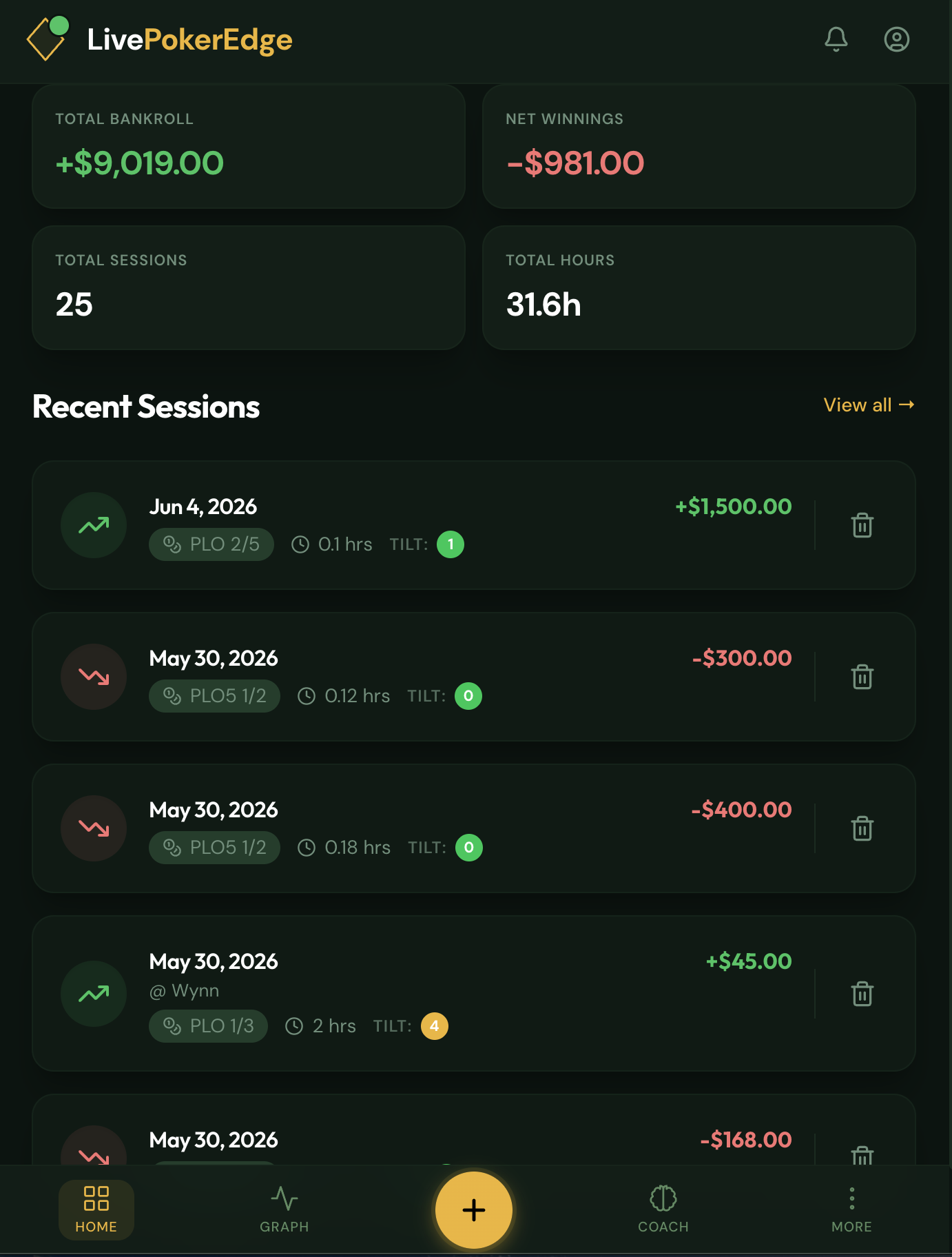
Open the app and your whole game is right there — total bankroll, net result, sessions played, hours in, and your recent sessions one tap away. No spreadsheets, no setup.
02
Start a session at the table
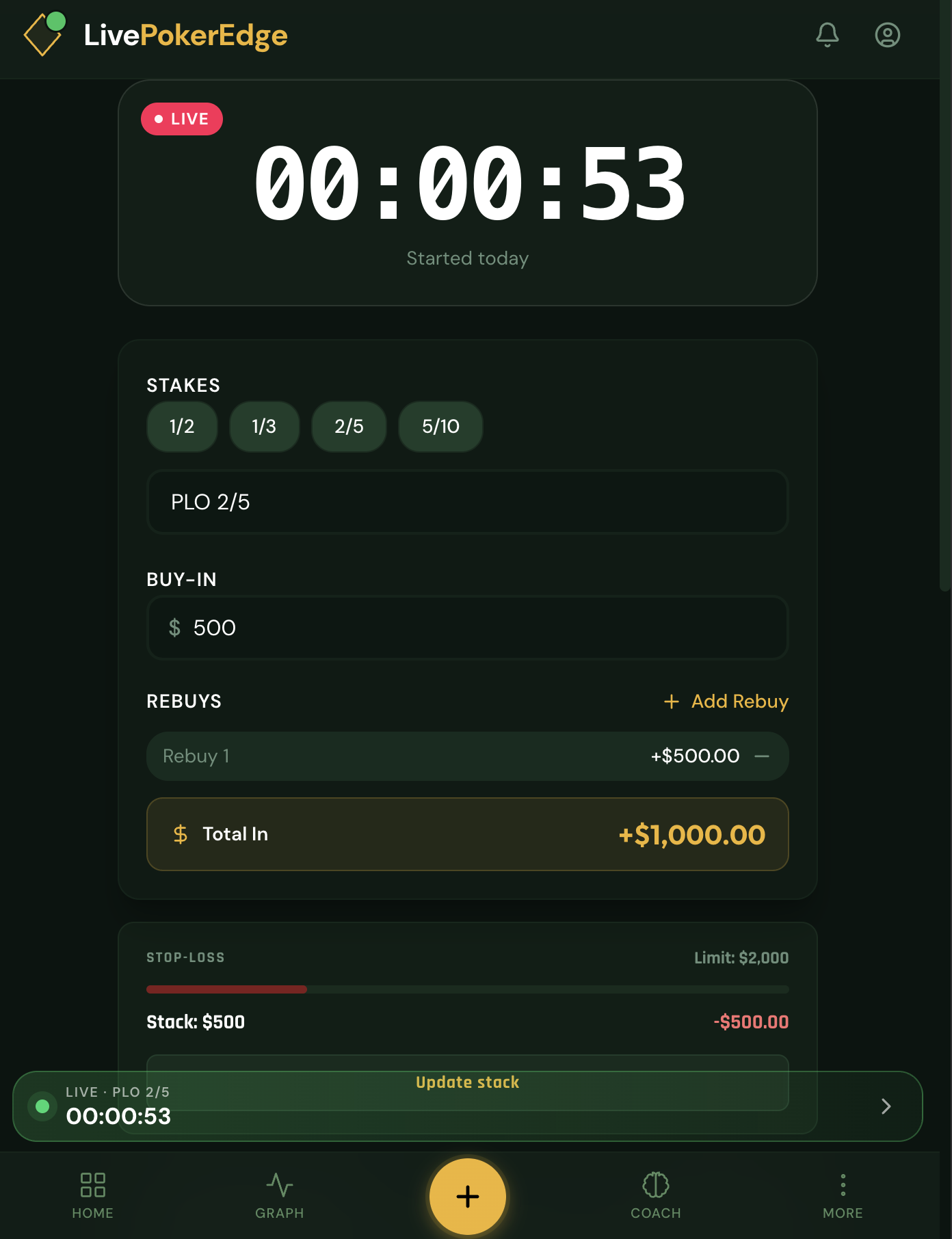
Open the app when you sit down. Log your buy-in, set a stop-loss if you want one, and hit Start. The timer runs, you track rebuys, and your play level and tilt level in real time. Or log the session after the fact — either way works.
03
Record hands as you play
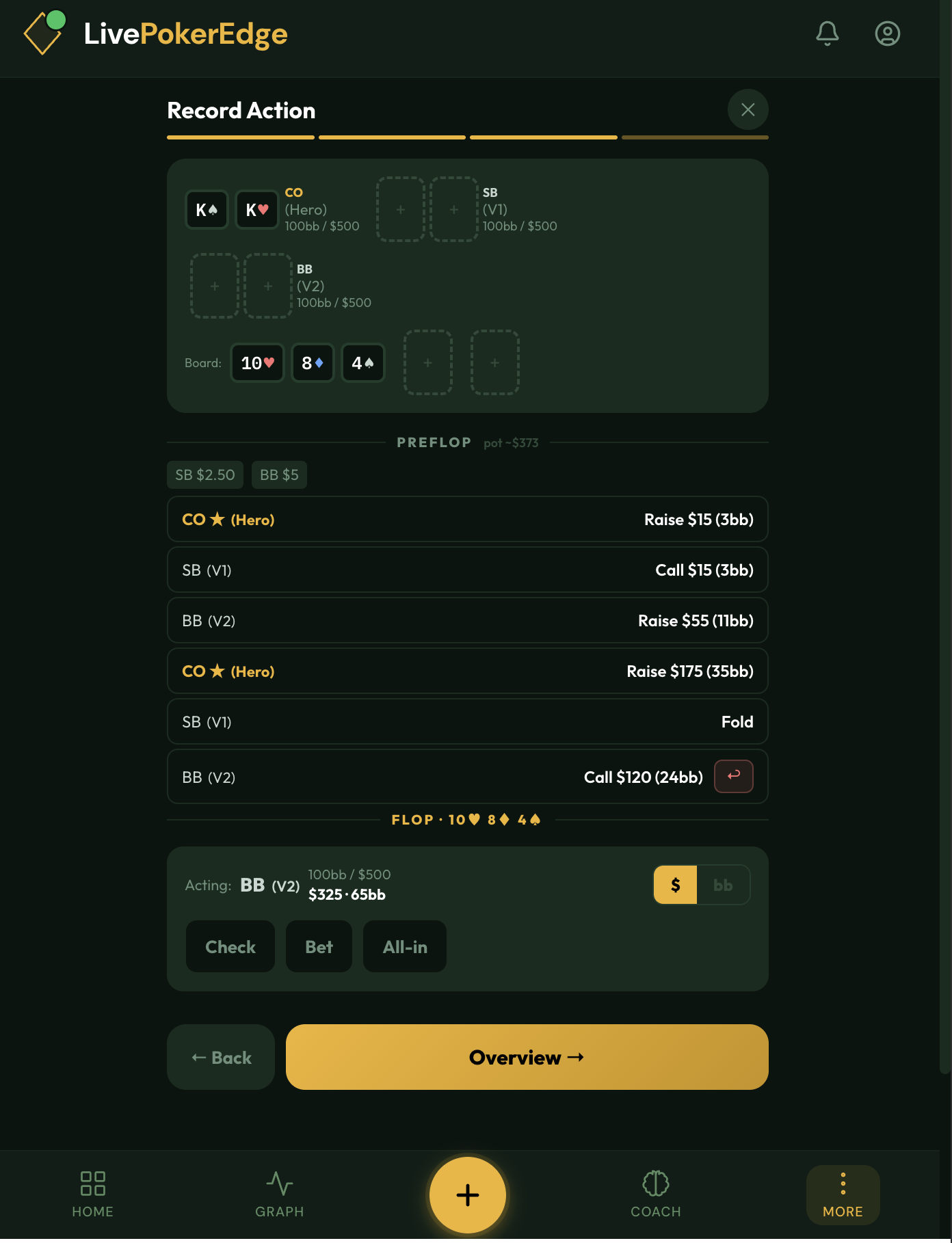
Spot an interesting hand? Quick-log it in seconds — cards, position, result. Or go full detail: street-by-street action, board cards, full action log. Save it now and complete it later. Every hand links to your AI coach for instant analysis.
04
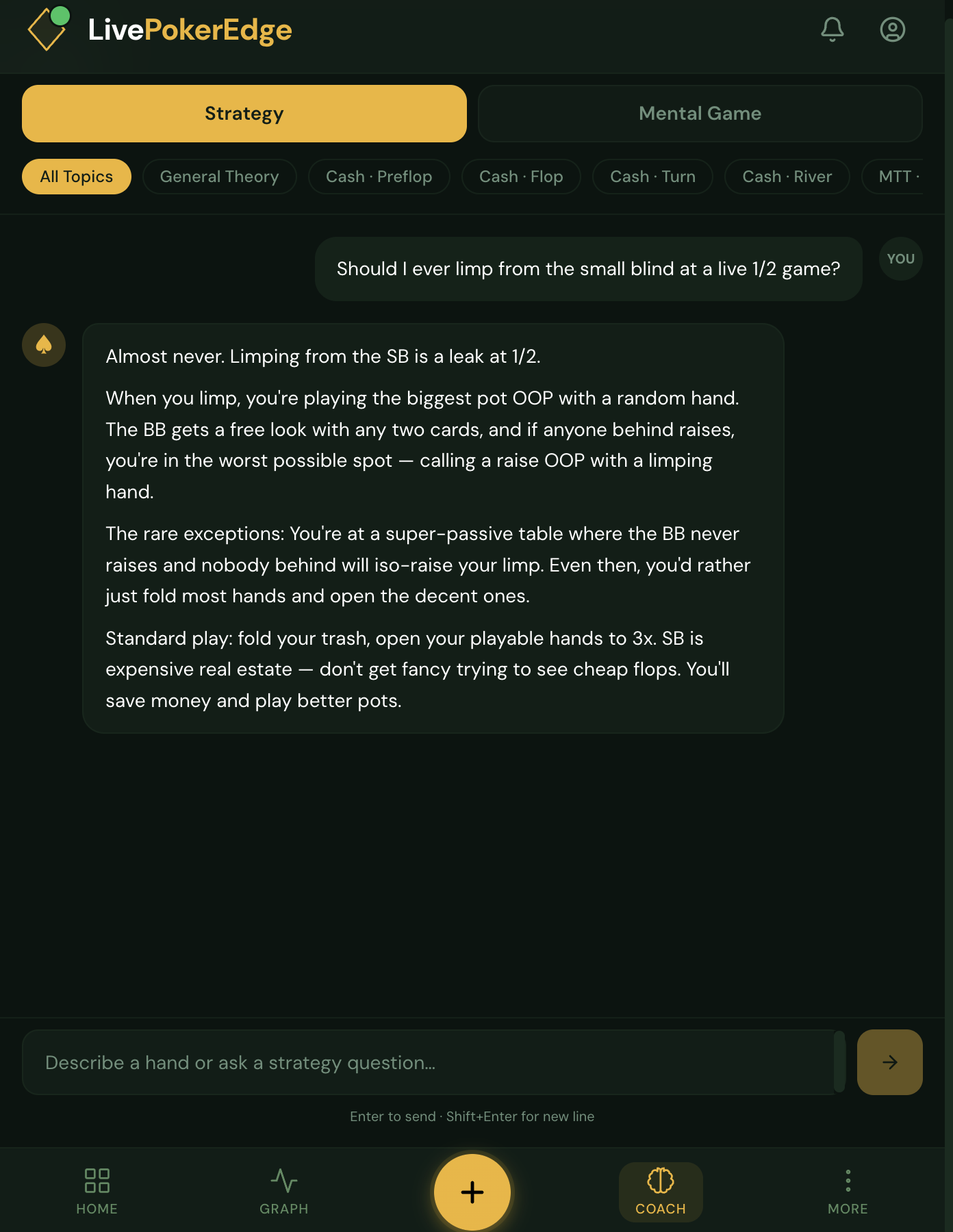
Ask your AI coach anything
Two coaches in one. AI Strategy Coach — built on GTO theory, explains the why not just the what, so you apply it in real spots. AI Mental Coach — for tilt, focus, and staying sharp. Ask mid-session or after. No fluff, no generic answers.
05
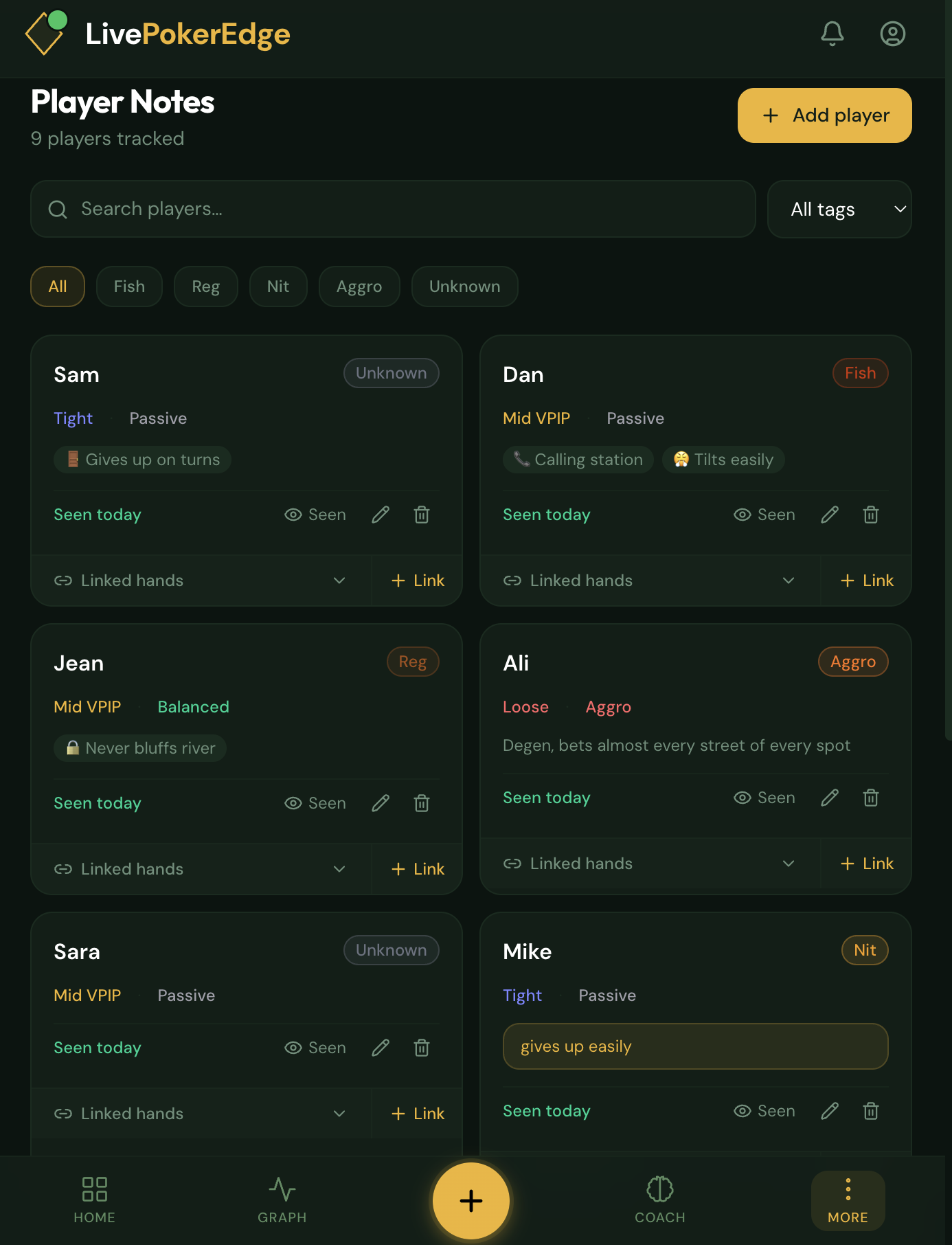
Tag your opponents
Build your scouting book over time. Tag players from a recorded hand or add them anytime. Track tendencies, exploitation notes, and link hands to their profile. Next time you sit with the fish from table 3, you already know how to play them.
06
Review your performance
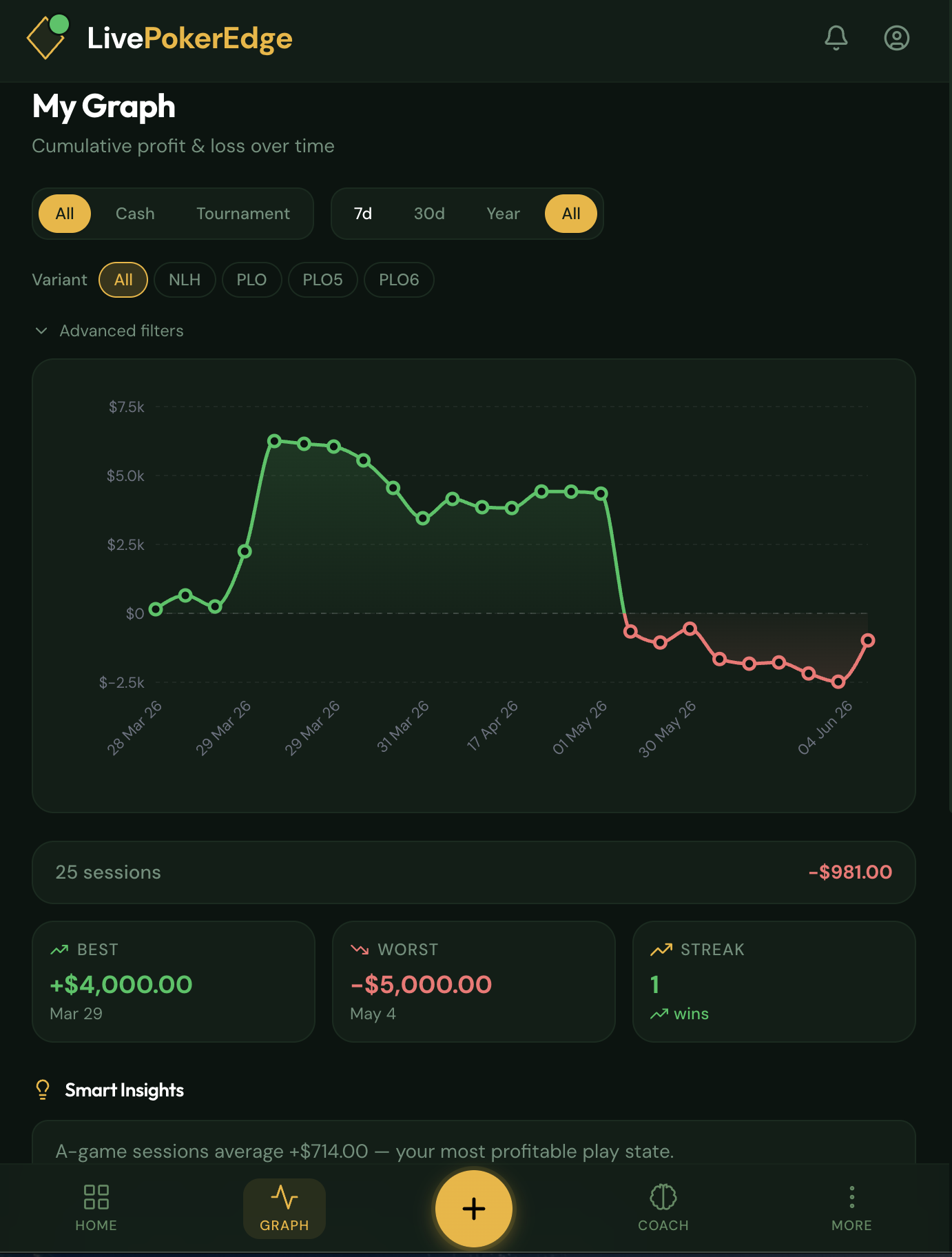
Your cumulative P&L over time, filterable by variant, stakes, and date range. Smart Insights breaks down results by play level, tilt, and session length — so you know exactly which conditions are costing you and what to fix.